Notice patterns, not noise.
Two quietly useful apps for iPhone: one for menopause, one for IBS and the low-FODMAP diet. Everything stays on your device. No account, no cloud, no nudges.
No account.
No sign-up, no email address, no password. Download the app and start tracking.
No subscription.
Free to use. One optional one-time purchase adds a deeper comparison.
Nothing leaves your iPhone.
The apps make no network requests. There is no server to send anything to.
Tools for the questions doctors don’t always have time for.
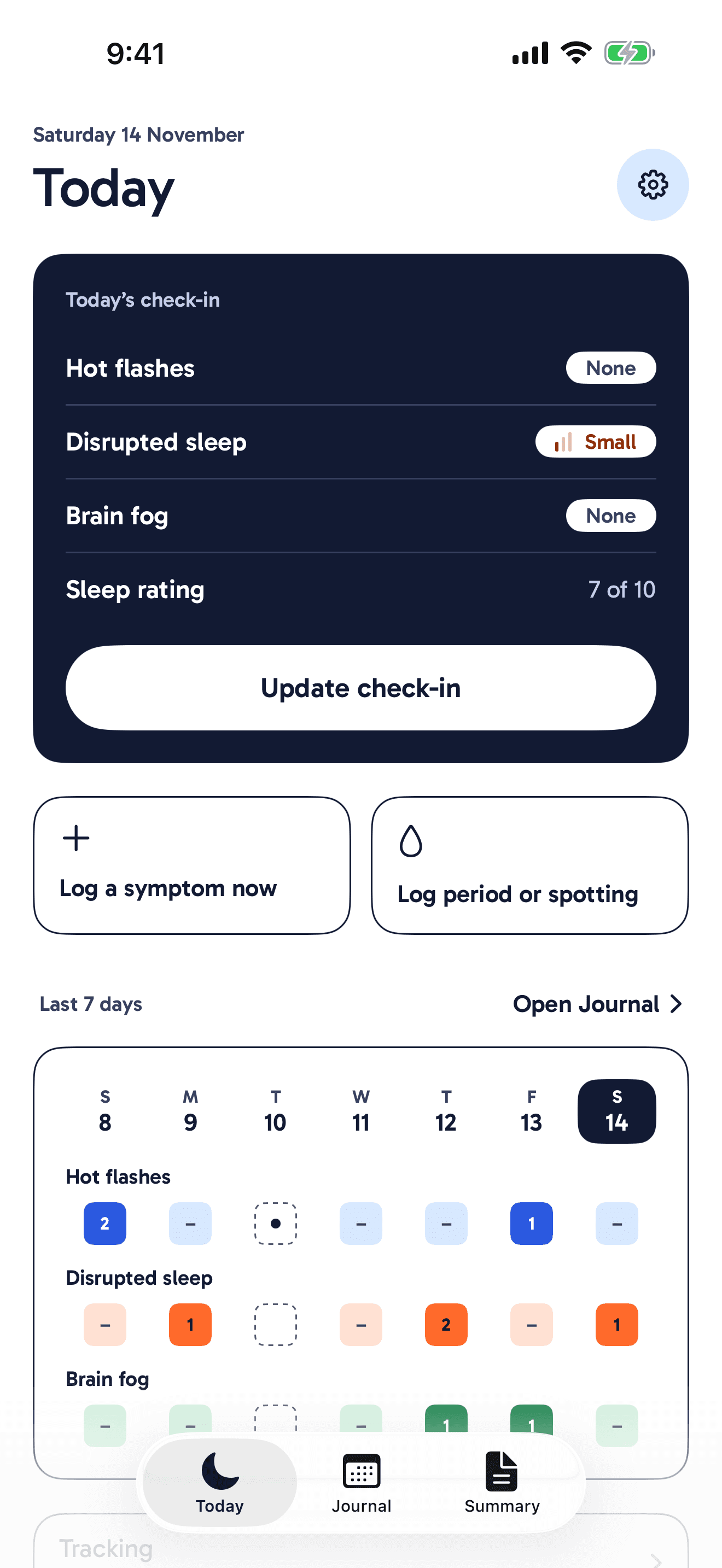
Menopause by Fieldnote
Notice the patterns. Come prepared.
Follow up to three symptoms and check in once a day. See your days counted and charted, and bring a printable report to your appointment.
- iPhone
- Apple Watch
- Apple Health
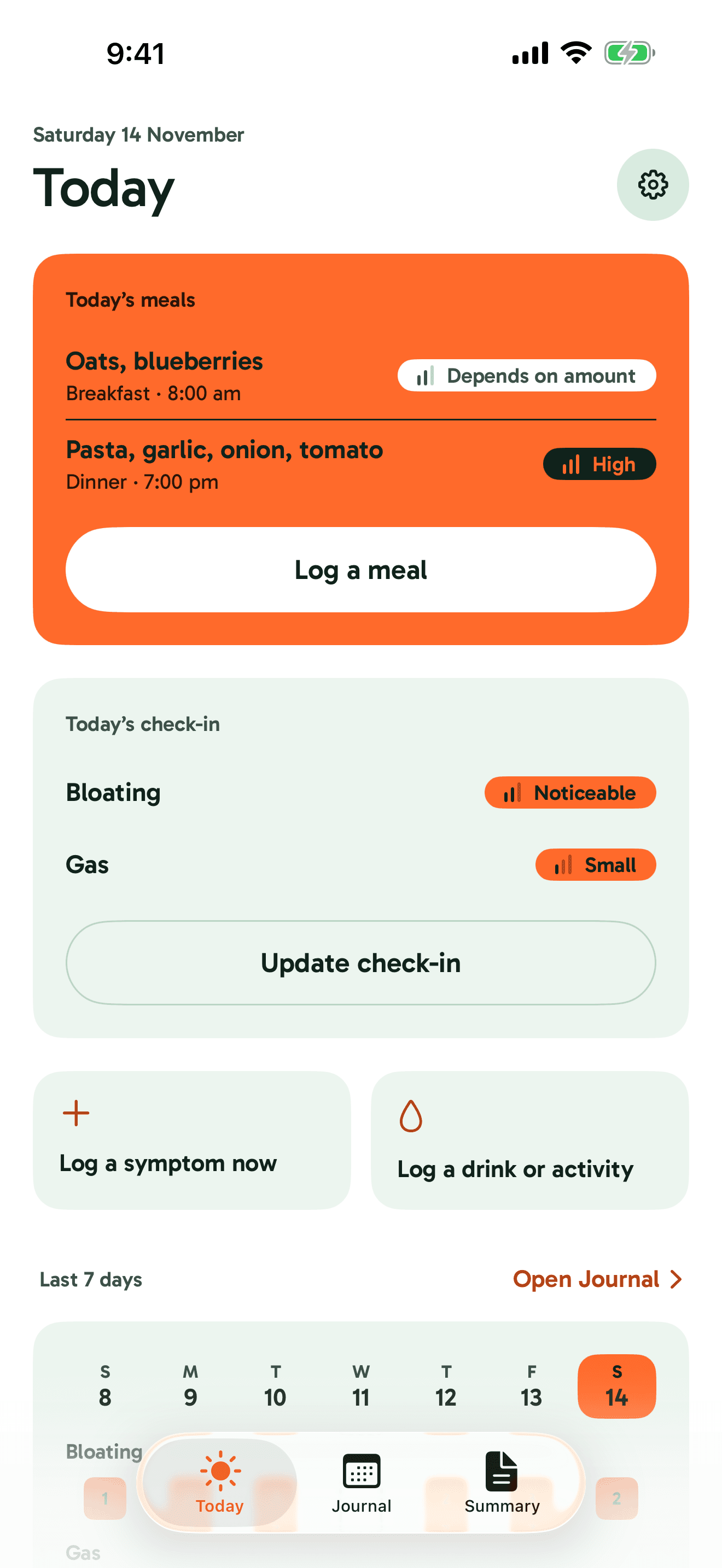
FODMAP by Fieldnote
See how your foods line up with your days.
Type a meal and the app finds the ingredients, each with its FODMAP level, from a list of 500+ foods. Check in once a day and see your foods counted against your days.
- iPhone
- Apple Health
Try the daily check-in.
This is the whole daily habit in Menopause by Fieldnote: one answer for each symptom you follow, once a day. Nothing you tap here is saved or sent anywhere.
Today
One answer for each symptom you follow.
Answer all three to save today (0 of 3).
Two apps, two questions.
They share a privacy model and nothing else. Menopause is for showing a clinician what your symptoms actually look like over a month. FODMAP is for working out which foods set off your gut. Most people need one, not both.
| Feature | Menopausefor perimenopause onward | FODMAPfor IBS and gut symptoms |
|---|---|---|
| What you log | One check-in a day on up to three symptoms, plus a hot flash, a night sweat or a period when it happens | Meals typed in your own words, one check-in a day on up to three gut symptoms, and drinks or activity when they matter |
| Built around | A daily check-in with four answers: none, small, noticeable or disruptive | A list of 500+ foods, each with its FODMAP level |
| What you leave with | Your days counted and charted, and a printable report with questions for a GP or OB-GYN | Each food counted against your symptom days, and a PDF to take to a dietitian |
| Apple Watch | Yes — log a symptom from your wrist | — |
| Apple Health | Keeps period and symptom entries in step with Apple Health, on-device | Can save each meal’s energy and macros to Apple Health |
| Price | Free, with one optional one-time purchase | Free, with one optional one-time purchase |
| Get it | Menopause by Fieldnote on the App Store | FODMAP by Fieldnote on the App Store |
Built for people tired of apps that want your email address before they’ll let you log a symptom.
- What apps does Fieldnote make?
- Two, both for iPhone. FODMAP by Fieldnote is an ingredient-level food and symptom tracker for people following the low-FODMAP protocol for IBS. Menopause by Fieldnote logs hot flashes, sleep, mood, and other symptoms through perimenopause, menopause, and postmenopause, and produces a printable report for appointments.
- Where is my data stored?
- On your iPhone, and nowhere else. Fieldnote apps make no network requests, run no servers, and have no accounts. Nothing you log is transmitted to Fieldnote or to any third party.
- Do I need an account to use a Fieldnote app?
- No. There is no sign-up, no email address, and no password. You download the app and start tracking.
- How much do the apps cost?
- Both apps are free to download and free to use. Logging, the journal, the summary and the PDF report cost nothing. Each app has one optional one-time purchase that adds a deeper comparison: in Menopause, your days before and since a medication change; in FODMAP, your days with a food against your days without it. There is no subscription.
- Do the Fieldnote apps work offline?
- Yes. Both apps work entirely offline, because neither one talks to a server at any point.
- Can I move my data to a new iPhone?
- Yes. Export a backup file in JSON format from one device and import it on the other. There is no automatic sync, because there is no server to sync through.
Get FODMAP by Fieldnote
Free · no account · your data stays on your iPhone