Personal health tracking — private by design
Track every ingredient.
Find your triggers.
Own your data.
Find the foods that don’t agree with you. Build meals ingredient by ingredient against a 180+ food FODMAP database, log your symptoms, and find your personal triggers. On the App Store. No account. No subscription.
- ✓180+ ingredient database with FODMAP levels
- ✓Custom ingredient builder
- ✓Ingredient-level meal logging
- ✓Symptom logging and insights
- ✓Works with Apple Health — sleep & cycle context for your symptoms
- ✓Backup and restore — export an industry-standard backup file (JSON), import it on another device
- ✓Works offline. No account. No subscription. No cloud.

On the App Store · No account · Your data stays on your iPhone
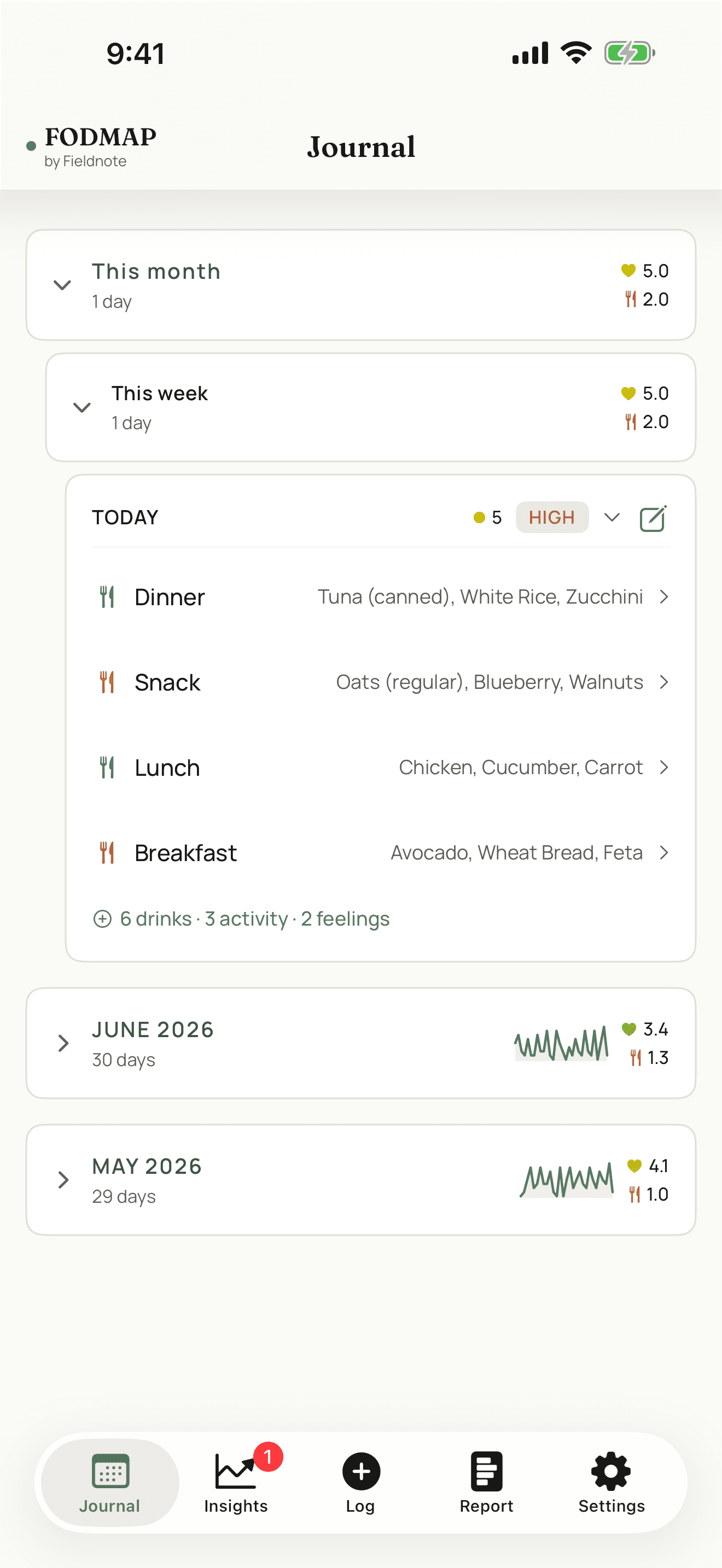
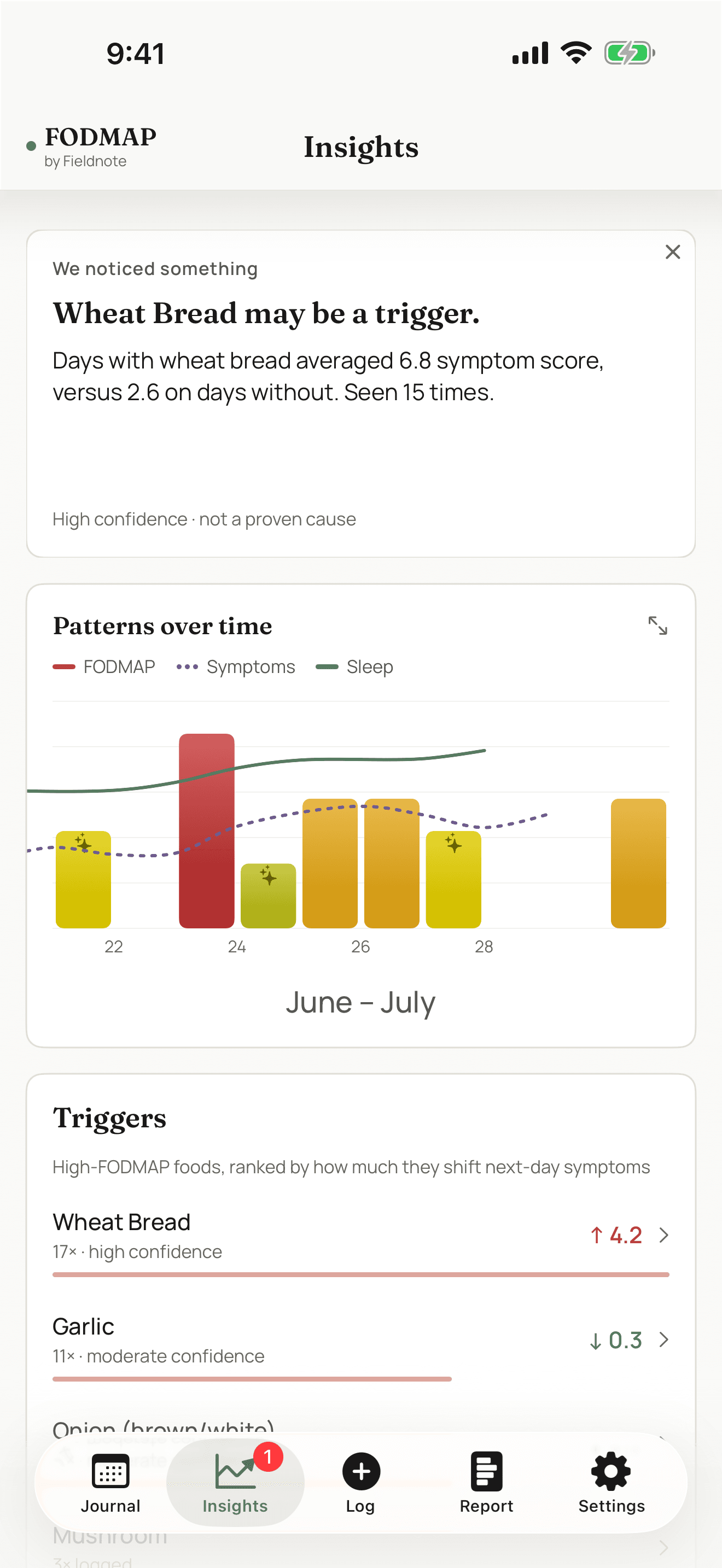
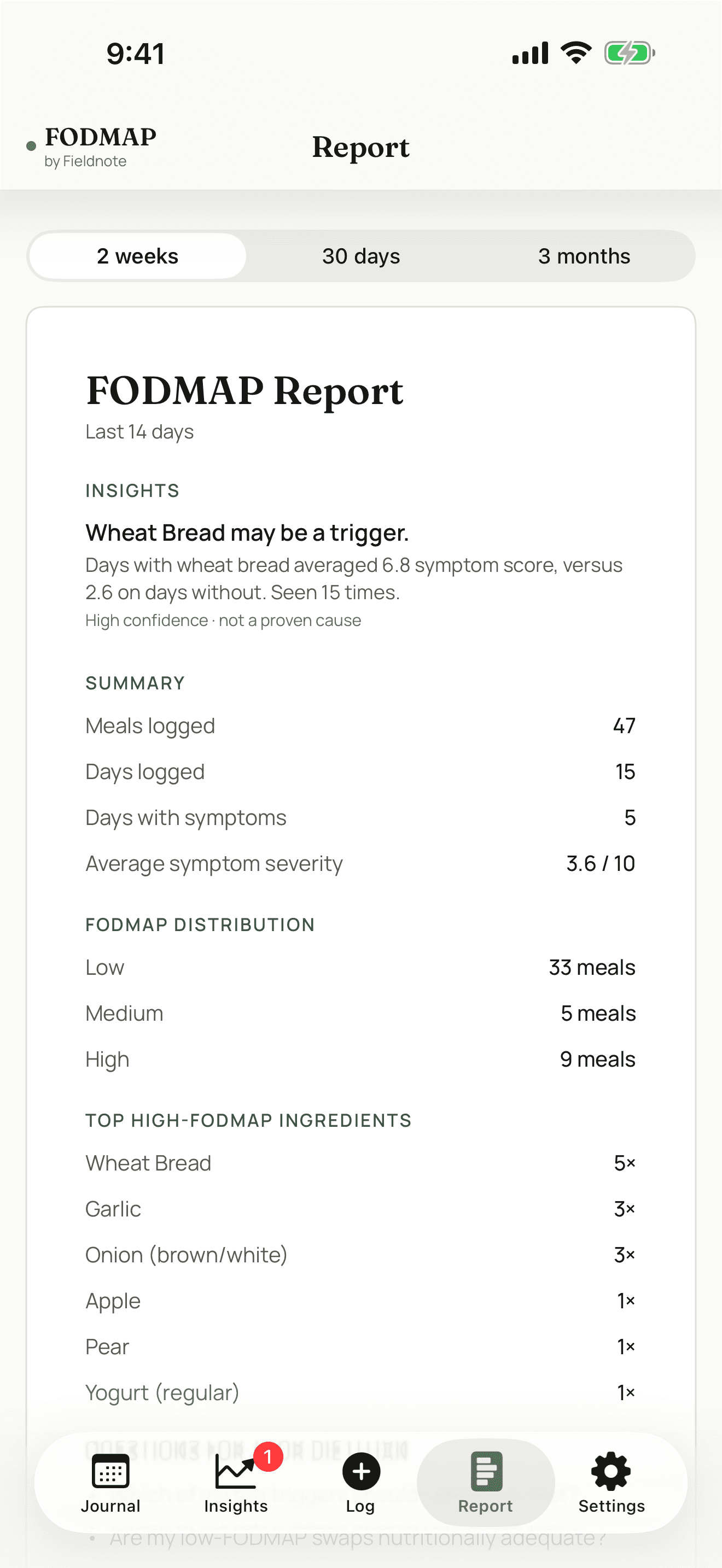
On your iPhone
Works with Apple Health.
With your permission, FODMAP by Fieldnote reads sleep and cycle data from Apple Health to add context to your symptoms — so a flare can be seen alongside a short night or a particular point in your cycle.
That data is read on-device to find correlations and never leaves your iPhone. There is no account and no cloud sync. You can revoke the permission at any time in Settings.
A look inside
What the app looks like
Your data belongs on your device.
When you log symptoms, bowel patterns, and food triggers, that’s some of the most personal health data you generate.
Fieldnote stores everything on your iPhone — on your device only. Not in the cloud. Not on our servers. Nowhere we, or anyone else, can access it.
Any Apple Health data the app uses is read on-device to find correlations and never leaves your phone. Nothing you log is ever sent anywhere. This is deliberate.
To move your data to a new device, you export a backup file and import it on the other side. You control what moves and when. That’s not a workaround — it’s the model.
Questions
FAQ
How much does it cost?
Current pricing is shown on its App Store listing. Open the App Store page to see the latest details.
Where is my data stored?
On your iPhone. Everything you log stays on your device. Nothing is transmitted to us or anyone else. There is no account and no cloud sync.
How does it work with Apple Health?
With your permission, the app reads sleep and cycle data from Apple Health on-device to add context to your symptoms. That data is used only to surface correlations and never leaves your iPhone. You can revoke the permission any time in Settings.
Can I move my data to a new iPhone?
Yes. Export a backup file from one device, import it on the other. No automatic syncing — there's no server involved. You stay in control of where your data goes.
What happens if I delete the app?
Because everything is stored on your iPhone, deleting the app removes your logged data with it. Export a backup first if you want to keep it.
What format is the backup file?
An industry-standard format (JSON) that any version of the app can read. Plain text — you can open it, read it, and keep it independently of Fieldnote.
Get FODMAP by Fieldnote
Free · no account · your data stays on your iPhone