Personal health tracking — private by design
Track every symptom.
See the patterns.
Come prepared.
Notice the patterns. Come prepared. Log symptoms the moment they happen, answer one quick question about your sleep each day, and generate a printable report with suggested questions for your GP or OB-GYN. On the App Store. No account.
- ✓12 event types: hot flash, night sweat, mood shift, brain fog, anxiety, palpitations, joint pain, and more
- ✓Moment-by-moment logging — log a symptom, trigger, or feeling the instant it happens
- ✓A once-a-day sleep check — how you slept last night
- ✓GP-ready report with appointment questions generated from your data
- ✓Apple Watch app — log a symptom from your wrist
- ✓Works with Apple Health — syncs your period and cycle data
- ✓Backup and restore — export a backup file (JSON), import on another device
- ✓Works offline. No account. No subscription. No cloud.

On the App Store · No account · Your data stays on your iPhone
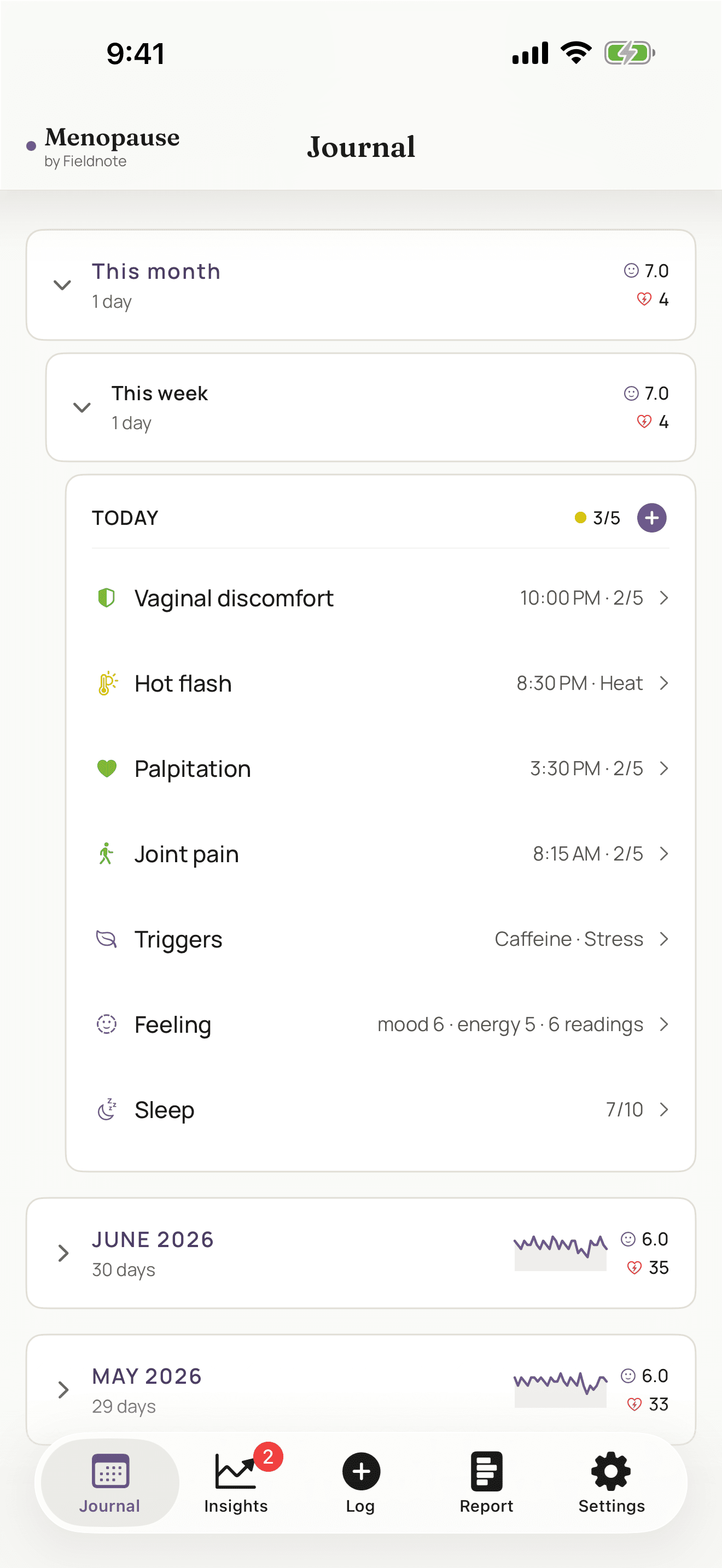
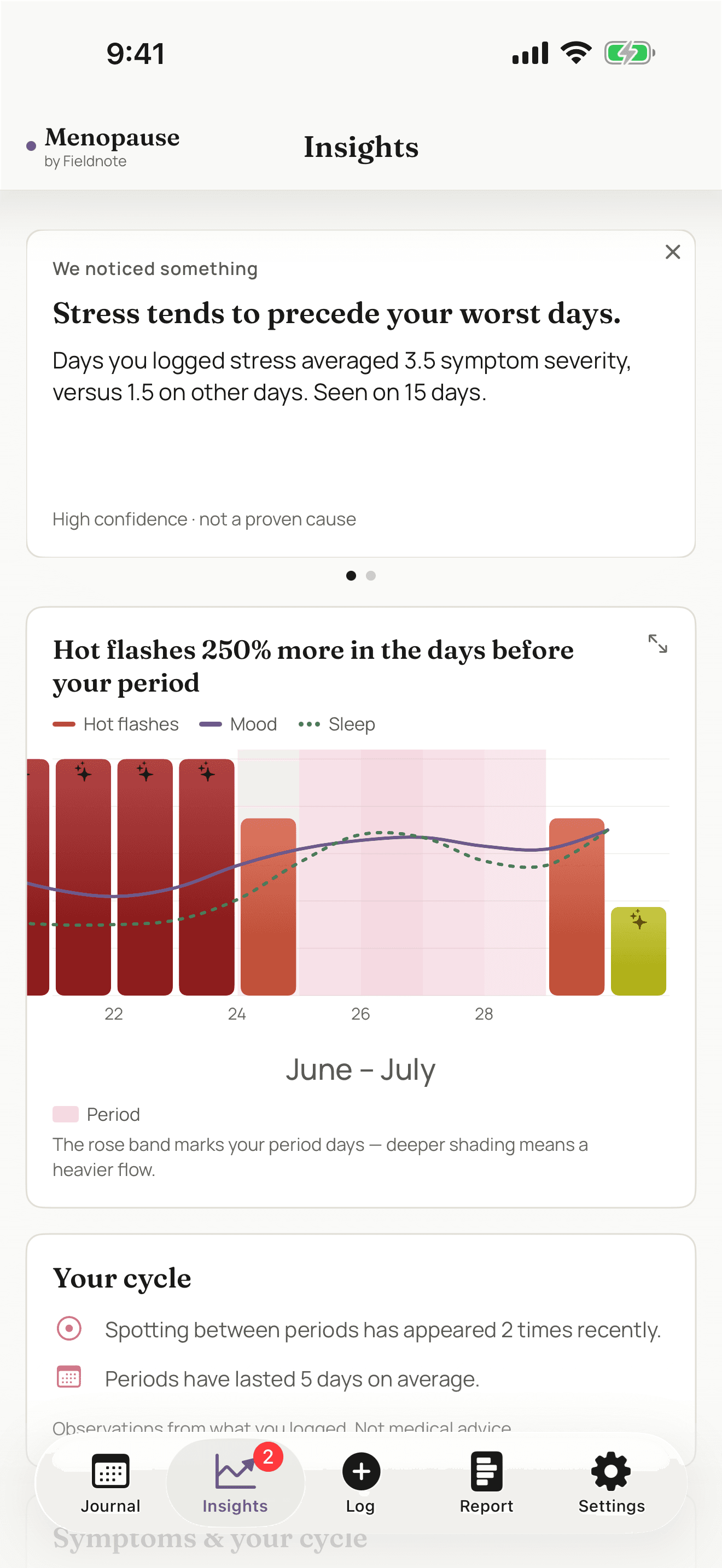
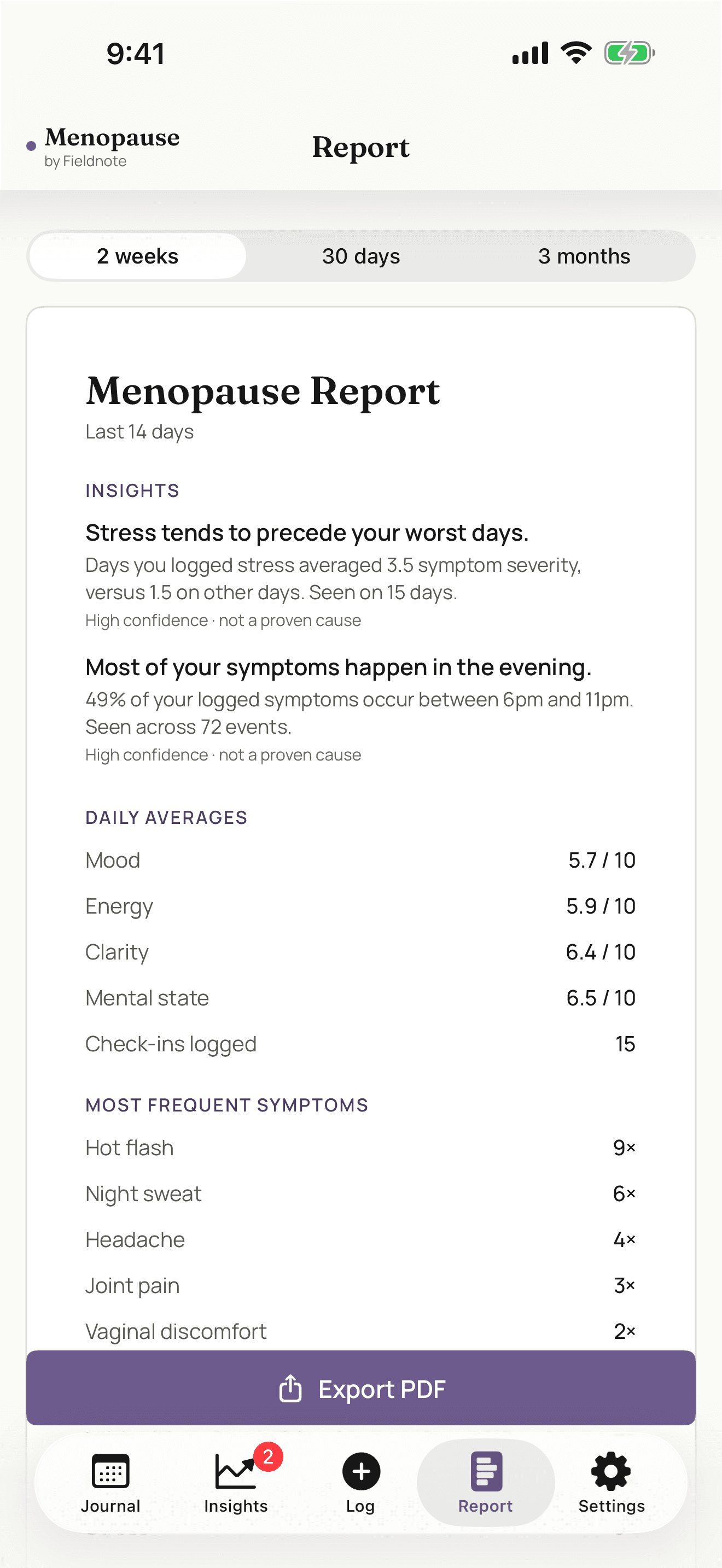
A look inside
What the app looks like
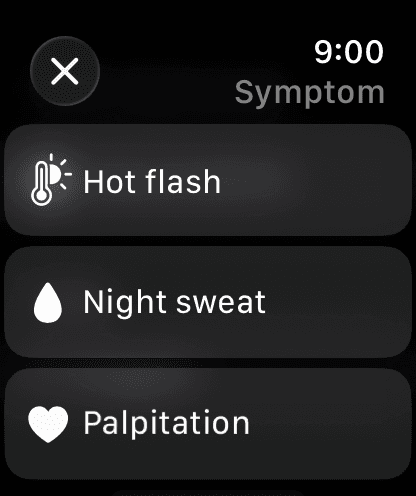
On your wrist
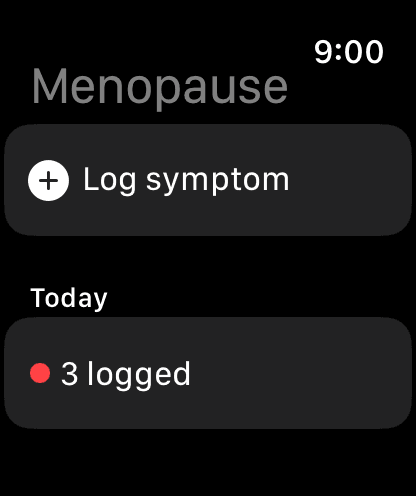
Log a symptom from your Apple Watch.
A hot flash or a mood shift rarely waits for a good moment to reach for your phone. The Apple Watch app lets you log it the instant it happens, with a tap from your wrist.
Entries sync to your iPhone, where they join the rest of your log, your trends, and your appointment report. Everything stays on your device — there is no account and no cloud sync.
Your health data stays on your device.
Symptom logs, mood records, cycle data — perimenopause tracking involves some of the most sensitive health information you generate.
Fieldnote stores everything on your iPhone — on your device only. Not in the cloud. Not on our servers. Nowhere we, or anyone else, can access it.
Apple Watch entries sync to your iPhone over your own devices. Nothing is sent anywhere else. Your data is yours in the fullest sense.
Export a backup file at any time. Import it on a new device. Share it with your doctor by email or print the report. You decide what happens to your data and where it goes.
Questions
FAQ
How much does it cost?
Current pricing is shown on its App Store listing. Open the App Store page to see the latest details.
What stages of menopause does it support?
Perimenopause, menopause, and postmenopause. The Settings panel lets you set your stage, which adjusts which fields appear (cycle-related fields are hidden in postmenopause).
Where is my data stored?
On your iPhone. Everything you log stays on your device. Nothing is transmitted to us or anyone else. There is no account and no cloud sync.
Does it work with Apple Health?
Yes. With your permission it reads your period and cycle data from Apple Health to track patterns alongside your symptoms, and can save period logs back to Health. That stays on your iPhone.
Is there an Apple Watch app?
Yes. The Apple Watch app lets you log a symptom from your wrist the moment it happens — a hot flash, a mood shift — and it syncs to your iPhone.
How does the appointment report work?
The Report tab aggregates your logged data — hot flash frequency, sleep averages, mood trends, trigger patterns — and generates a summary with suggested questions for your clinician. You can print it directly from the app.
Can I move my data to a new iPhone?
Yes. Export a backup file from one device, import it on the other. No automatic syncing — there's no server involved. If you delete the app, your logged data is removed with it, so export a backup first if you want to keep it.
Get Menopause by Fieldnote
Free · no account · your data stays on your iPhone